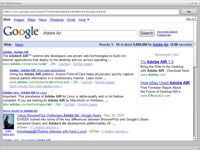
 I’ve been playing with Flex and Adobe Air for a while now, and I’ve wanted to test the abilities of the Air HTML component for future projects. So I built my own mini Air Web Browser.
During the Air beta the mx:HTML component didn’t do javascript very well, and it didn’t do flash at all, from what I could remember. I created a simple little browser with Adobe Flex Builder 3 and the latest Adobe Air SDK. It runs embedded Flash/swf great, and does well with javascript. I tested the javascript abilities with prototype and some custom functions. You’re more than welcome to play with it and make changes.
Download
- Adobe Air (required if you don’t have it already)
- Air Web Browser.air
- Source
Nice!Check out: http://www.airbrowserwar.com
is there a way altar the opacity of the entire browser, and its contents? If you can add this feature, I would be so very greatful :)
I personally use PowerMenu for making my windows transparent or always on top, if the application does not have a native solution for it.
http://www.lucentminds.com/_filelib/images/airbrowser-thumb.jpg
Page not found (404)
Yes. I need to find time to restore my lost images.
Does not handle SSL cert errors :(
Hi, Great app – is it possible to change the default page? Thanks!
Not without altering the source.
Does it allow DOM access and manipulation?
great app
but
How can i open a new link(which present on the opened page in a browser) in a tab?
No. This was a simple concept test.
Have you had any success getting audio files (like wav or mp3) that are referred to via an embed tag to run in the browser? I can get YouTube pages to render and play fine but I’m stumped how to get audio files to run. Any tips?
I don’t think the HTML5 audio tag will work, but you should be able to use some flash-based audio player in your html. You could also script something with AS3 Sound and SoundChannel to load and play the audio.
Thanks for the code, I’m trying to explore the power of html control on flex 3 api and this sample will help me a lot.
Celine
Is there a way we can open a new window by clicking a link on a web-page. Something to the order of window.open ?